
IndiaMART lead management: how to respond faster and close more
IndiaMART lead management for Indian manufacturers and traders: organise buy leads and enquiries, respond fast, follow up, and send GST quotes from one system.
21 October 2026 · LeadManagement Team
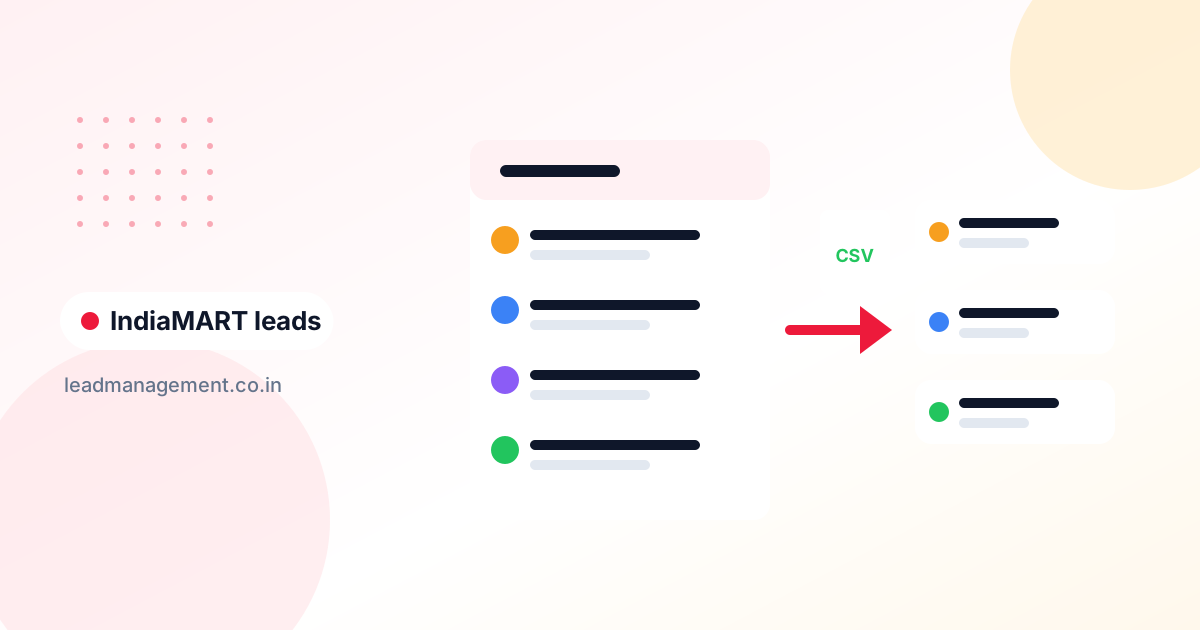
IndiaMART lead management is the process of moving every enquiry and buy lead from IndiaMART (and similar B2B portals like JustDial and TradeIndia) into one shared system, responding quickly, sending a quotation, and following up until the buyer orders or says no. For manufacturers, traders, and distributors, it turns a noisy inbox into a working sales pipeline.
The common situation: a packaging manufacturer in Ahmedabad gets dozens of enquiries a week. Some are serious bulk buyers, some are students, some are other suppliers fishing for prices. The owner replies to a few from the seller app, forgets the rest, and has no idea which enquiries became orders.
Why IndiaMART leads are hard to manage
- Buyers contact several sellers at once. The same requirement goes to multiple suppliers, so speed and a clear quote matter.
- Mixed quality. Genuine bulk orders sit next to one-piece enquiries and price-checking.
- Leads live in the portal. If you only work inside the seller panel, you can’t easily combine IndiaMART, JustDial, TradeIndia, website, and phone enquiries.
- No shared follow-up. When three salespeople reply from one login, nobody knows who promised what.
- No conversion data. Without a record of orders, you can’t tell whether your portal subscription is paying off.
How to manage IndiaMART leads outside the portal
You don’t need a special connector to do this well. There are two practical routes:
Option 1: Export and import by CSV
- In your IndiaMART seller account, download or export your enquiries (the options available depend on your account and plan).
- Open the file and keep the columns you need: buyer name, company, phone, email, city, product, quantity, and enquiry date.
- Import it into your lead management system as a CSV, mapping each column to a field and setting the source to “IndiaMART”.
- Repeat daily (or twice a day in busy periods). A fixed time, such as 10 am and 4 pm, works well.
Do the same for JustDial and TradeIndia enquiries, with their own source names.
Option 2: Send leads through an API
If you have a developer or an IT vendor, they can pull enquiries from the portal’s data access options (where your account provides them) and push them into your lead system through its API. This removes the manual import, but check what your portal account allows before building anything.
Either way, the goal is the same: one list of all enquiries, each with an owner and a next follow-up date.
Lead sources for B2B sellers
| Source | Typical buyer | How to capture |
|---|---|---|
| IndiaMART enquiries and buy leads | Traders, contractors, small manufacturers | Export and import, or API |
| JustDial | Local buyers, often retail or small business | Export and import, or log calls |
| TradeIndia | B2B buyers across categories | Export and import |
| Website enquiry form | Usually more specific requirements | Web form direct to the lead system |
| Phone calls from the listing | Mixed | Log during the call |
| Repeat buyers and referrals | See the WhatsApp lead capture guide | |
| Trade fairs | Distributors, bulk buyers | Import the visitor list after the show |
The fast-response process
Since buyers contact several suppliers, the first useful reply has an advantage. A simple process for small teams:
| When | Action |
|---|---|
| Within 15–30 minutes | Call the buyer. Confirm product, specification, quantity, delivery location, and timeline |
| Same call | Ask: “Are you buying for your own use or for resale?” and “When do you need delivery?” |
| Within 2 hours | Send a GST quotation with price, MOQ, freight, and payment terms |
| Same day | WhatsApp the quote PDF plus product photos or a catalogue |
| Day 2 | Call: “Did you receive the quote? Any changes to quantity or specs?” |
| Day 4–5 | Follow up with a revised quote or sample offer if needed |
| Day 10 | Final check-in; mark Won, Lost (with reason), or move to monthly nurture |
| Monthly | For lost-on-price or “not now” buyers, share new stock, rates, or offers |
If you can’t call within 30 minutes during working hours, assign a single person to “first response” for portal leads, and let the sales team take over from there. See lead distribution methods for options.
Qualifying IndiaMART buy leads quickly
Use four questions on the first call:
- Quantity: Is it above your minimum order?
- Timeline: Do they need it this week, this month, or “just checking”?
- Location: Can you deliver there at a workable freight cost?
- Buyer type: End user, trader, or another supplier?
Mark low-fit enquiries as Lost with a reason (“below MOQ”, “outside delivery area”) instead of leaving them open. A clean pipeline makes it easier to see the real opportunities. For more structured qualification, read BANT vs MEDDIC.
Pipeline stages for B2B portal leads
- New Enquiry
- Contacted – requirement confirmed
- Quote Sent
- Negotiation – price, quantity, payment terms, freight
- Sample / Trial Order (if relevant)
- Won – PO or advance received
- Lost – below MOQ, price, delivery, not reachable, bought elsewhere
Track enquiry-to-quote and quote-to-order by source. If IndiaMART gives many quotes but few orders while your website gives fewer but better leads, that tells you where to spend.
How LeadManagement handles IndiaMART and portal leads
LeadManagement doesn’t have a native IndiaMART, JustDial, or TradeIndia integration. Instead, you bring leads in by CSV import or through the API, and then manage everything in one place:
- Capture: CSV import with field mapping, web forms for your website, the API, or manual entry for phone calls. Each lead gets an ID like LD-00001.
- Sources and stages: create sources like “IndiaMART”, “JustDial”, and “TradeIndia”, and statuses like “Quote Sent” in Lead Settings.
- Custom fields: add quantity, MOQ, delivery city, or GSTIN.
- Quotes: build GST quotations from your Products & Services catalog (with HSN/SAC), add per-item or overall discounts, and let it apply CGST/SGST or IGST automatically. Send the PDF by email or share a WhatsApp link, and track Draft, Sent, Accepted, Rejected, or Expired.
- Follow-ups: next-action dates and a daily queue of overdue, today, and upcoming follow-ups.
- Team: assign leads to salespeople manually and compare them on the Team Performance page.
Plans start at ₹499/year. If you’re moving from a spreadsheet of past enquiries, see spreadsheet to CRM migration.
Frequently asked questions
How do I manage IndiaMART leads?
Export or download your IndiaMART enquiries regularly, import them into a lead management system with the source set to “IndiaMART”, and assign each to a salesperson. Call within 30 minutes, send a GST quote quickly, and set a follow-up date on every lead.
Is there a CRM for IndiaMART leads?
Several CRMs can hold IndiaMART leads. Some offer direct connectors, while others work through CSV import or an API. What matters most is that all your portal and non-portal leads end up in one place with follow-up reminders.
How fast should I respond to an IndiaMART enquiry?
As fast as you reasonably can, ideally within 15–30 minutes during working hours. Buyers often send the same requirement to several suppliers, so the first clear, useful response is at an advantage.
How do I follow up IndiaMART buy leads that don’t reply?
Try a call, then WhatsApp the quote, then call again after two days and once more after a week. If there’s still no response, mark the lead Lost with “not reachable” and add it to a monthly nurture list.
Can I manage JustDial and TradeIndia leads in the same system?
Yes. Import each portal’s enquiries with its own source name so you can compare conversions across portals, your website, and phone calls.
Turn portal enquiries into orders
Your portal subscription pays off only when enquiries become orders. Bring every lead into one place, respond fast, and follow up. Start a free 14-day LeadManagement trial. No credit card needed.