
Windows desktop app · v1.0.0
Lead Management Desktop App for Windows
India's simplest lead management CRM — now as a fast, native Windows app. Capture leads, run follow-ups, and close more deals from your desktop.
Lead Board kanban Follow-ups & reminders Custom fields & sources Team performance reports
Virus Free
73 MB
Windows 10 / 11
Internet Required
Lead Management — Desktop
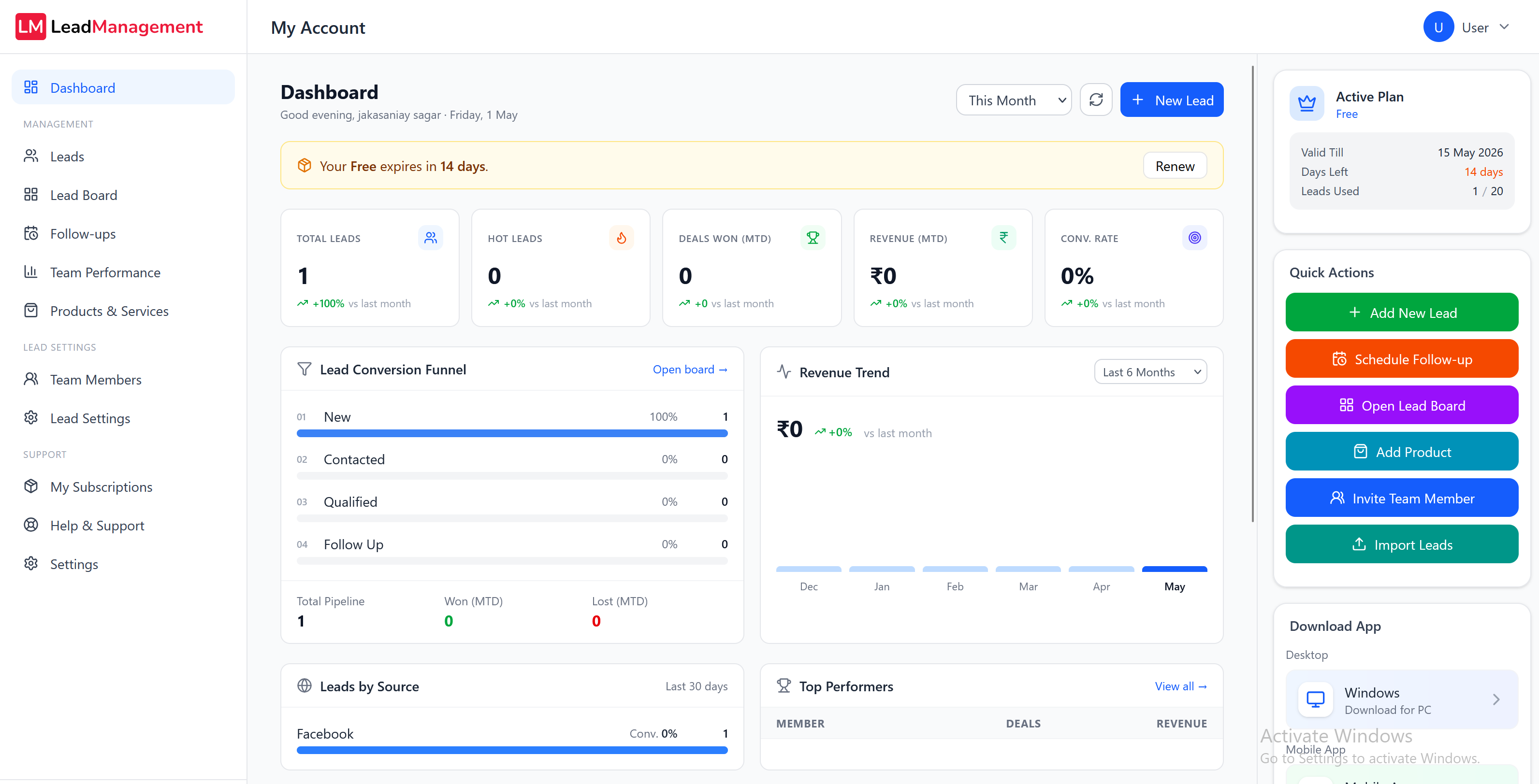
A live look at the Lead Management dashboard
System requirements
Runs on almost any Windows PC
OS
Windows 10 or 11
64-bit
RAM
4 GB minimum
8 GB recommended
Disk space
200 MB
+ space for cache
Features
Everything you need to close more leads
The full Lead Management CRM, packaged as a fast native window with desktop notifications and a taskbar icon.
- Lead Board kanbanDrag leads across stages, see your full pipeline at a glance.
- Follow-ups & activity timelineSchedule calls, emails, meetings, demos and visits — never lose a lead to silence.
- Custom fields, statuses & sourcesShape the CRM around your workflow, not the other way around.
- Team performance dashboardSee who's closing, who needs help, and where leads are leaking.
- Cloud syncSame data on desktop, web and mobile. Sign in anywhere.
- Auto-updatesNew versions install in the background — you're always on the latest.
Installation
Up and running in 5 steps
Less than a minute from download to first lead.
- 1Download the installerClick the Download for Windows button above. The 73 MB installer saves to your Downloads folder.
- 2Run the installerDouble-click LeadManagementSetup1.0.0.exe to start the setup wizard.
- 3Allow permissionsWindows may show a security prompt — click "Yes". The installer is safe.
- 4Follow the setup wizardPick a location (or use the default) and click Install. Setup takes about 30 seconds.
- 5Sign in and startLaunch Lead Management from your desktop, sign into your workspace, and you're ready to go.
Need help installing?
Our team will walk you through it on a quick call. No charges, no commitment.
Contact SupportDon't want to install?
Use Lead Management directly in your browser — same features, same data, no install.
Try Online Free